PSP Wi-Fi
Si tu PSP no encuentra tu red Wi-Fi (la lista sale vacía) o no logra conectarse, casi siempre es por la configuración del router. El PSP es de 2004: solo funciona en 2,4 GHz y, de fábrica, no conoce WPA2.
El problema
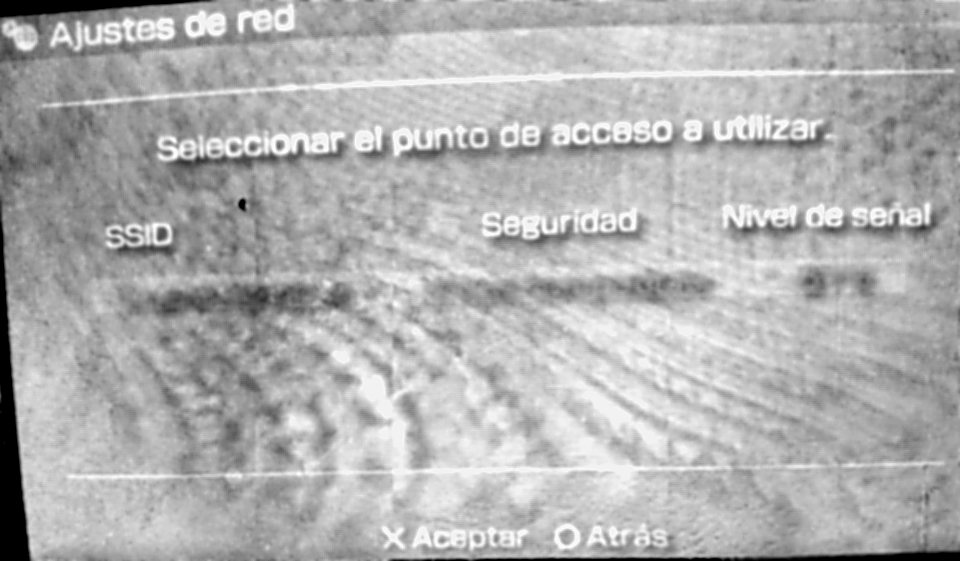
Ajustes de red → la lista de puntos de acceso aparece vacía.
1. Revisa el router (sin instalar nada)
- 2,4 GHz encendido. Si el router junta 2,4 y 5 GHz con el mismo nombre, crea una red de 2,4 GHz con otro nombre (o activa la red de invitados en 2,4 GHz).
- Modo 802.11 b/g/n mixto, no "solo n" ni "solo ax".
- Canal del 1 al 11, ancho de canal 20 MHz.
- Seguridad: el PSP original solo conecta con WPA (TKIP/AES) o WEP. Si tu router solo tiene WPA2 o WPA3, usa el plugin del paso 2.
2. Plugin WPA2 (PSP con firmware personalizado)
El plugin wpa2psp (creado por Moment) permite al PSP conectarse a redes WPA2-AES. Solo funciona en PSP con firmware personalizado (CFW) como ARK-4, PRO o LME.
- Si usas ARK-4: ya viene incluido. Ve a Extras → Custom Firmware Settings, activa WPA2 y reinicia el PSP.
- Si usas PRO o LME:
- Descarga el archivo: wpa2psp_seplugins.zip
- Descomprime y copia la carpeta SEPLUGINS a la raíz de la Memory Stick (queda ms0:/SEPLUGINS/wpa2psp.prx).
- Si ya tienes un VSH.TXT, no lo reemplaces: agrega al final la línea ms0:/SEPLUGINS/wpa2psp.prx 1.
- En el PSP Go con memoria interna, cambia ms0: por ef0:.
- Reinicia el PSP.
Con el plugin activo solo funciona WPA2-AES (no TKIP, ni WEP/WPA). Si el router está en modo mixto WPA2/WPA3 y el PSP no recibe IP, configura la dirección IP manualmente.
3. Conecta y juega
- Ajustes → Ajustes de red → Modo infraestructura → Nueva conexión → Buscar y elige tu red.
- En DNS, elige Manual: primario 45.234.93.56, secundario 1.1.1.1.
- Guarda, haz Probar conexión y entra a Killzone: Liberation → Multiplayer → Combat Zone (Online).
Sin CFW y con un router solo WPA2: la salida más fácil es una red de invitados de 2,4 GHz con WPA, o el hotspot de otro celular configurado así.
Se o seu PSP não encontra a rede Wi-Fi (a lista aparece vazia) ou não consegue conectar, quase sempre é a configuração do roteador. O PSP é de 2004: só funciona em 2,4 GHz e, de fábrica, não conhece WPA2.
O problema
Configurações de rede → a lista de pontos de acesso aparece vazia.
1. Confira o roteador (sem instalar nada)
- 2,4 GHz ligado. Se o roteador junta 2,4 e 5 GHz com o mesmo nome, crie uma rede 2,4 GHz com outro nome (ou ligue a rede de convidados em 2,4 GHz).
- Modo 802.11 b/g/n misto, não "só n" nem "só ax".
- Canal de 1 a 11, largura de canal 20 MHz.
- Segurança: o PSP original só conecta com WPA (TKIP/AES) ou WEP. Se o roteador só tem WPA2 ou WPA3, use o plugin do passo 2.
2. Plugin WPA2 (PSP com firmware customizado)
O plugin wpa2psp (criado por Moment) deixa o PSP conectar em redes WPA2-AES. Só funciona em PSP com firmware customizado (CFW), como ARK-4, PRO ou LME.
- Se usa ARK-4: ele já vem junto. Vá em Extras → Custom Firmware Settings, ligue WPA2 e reinicie o PSP.
- Se usa PRO ou LME:
- Baixe o arquivo: wpa2psp_seplugins.zip
- Descompacte e copie a pasta SEPLUGINS para a raiz do Memory Stick (fica ms0:/SEPLUGINS/wpa2psp.prx).
- Se já tiver um VSH.TXT, não substitua: acrescente no final a linha ms0:/SEPLUGINS/wpa2psp.prx 1.
- No PSP Go com memória interna, troque ms0: por ef0:.
- Reinicie o PSP.
Com o plugin ligado só funciona WPA2-AES (não TKIP, nem WEP/WPA). Se o roteador estiver em WPA2/WPA3 misto e o PSP não pegar IP, configure o endereço IP manualmente.
3. Conecte e jogue
- Configurações → Configurações de rede → Modo infraestrutura → Nova conexão → Procurar e escolha sua rede.
- Em DNS, escolha Manual: primário 45.234.93.56, secundário 1.1.1.1.
- Salve, faça Testar conexão e entre no Killzone: Liberation → Multiplayer → Combat Zone (Online).
Sem CFW e com roteador só WPA2: a saída mais fácil é uma rede de convidados 2,4 GHz com WPA, ou o roteador de outro celular configurado assim.
If your PSP can't find your Wi-Fi (the list is empty) or won't connect, it's almost always the router settings. The PSP is from 2004: it only works on 2.4 GHz and, out of the box, doesn't know WPA2.
The problem
Network Settings → the access point list is empty.
1. Check the router (nothing to install)
- 2.4 GHz on. If the router merges 2.4 and 5 GHz under one name, create a 2.4 GHz network with a different name (or turn on a 2.4 GHz guest network).
- 802.11 b/g/n mixed mode, not "n only" or "ax only".
- Channel 1 to 11, 20 MHz channel width.
- Security: a stock PSP only connects with WPA (TKIP/AES) or WEP. If your router only offers WPA2 or WPA3, use the plugin in step 2.
2. WPA2 plugin (PSP with custom firmware)
The wpa2psp plugin (made by Moment) lets the PSP join WPA2-AES networks. It only works on a PSP with custom firmware (CFW) such as ARK-4, PRO or LME.
- ARK-4: it's already built in. Go to Extras → Custom Firmware Settings, turn on WPA2 and restart the PSP.
- PRO or LME:
- Download: wpa2psp_seplugins.zip
- Unzip and copy the SEPLUGINS folder to the root of the Memory Stick (you get ms0:/SEPLUGINS/wpa2psp.prx).
- If you already have a VSH.TXT, don't replace it: add the line ms0:/SEPLUGINS/wpa2psp.prx 1 at the end.
- On a PSP Go using internal storage, change ms0: to ef0:.
- Restart the PSP.
With the plugin on, only WPA2-AES works (no TKIP, WEP or WPA). If the router is in WPA2/WPA3 mixed mode and the PSP gets no IP, set the IP address manually.
3. Connect and play
- Settings → Network Settings → Infrastructure Mode → New Connection → Scan and pick your network.
- Under DNS, choose Manual: primary 45.234.93.56, secondary 1.1.1.1.
- Save, run Test Connection, then open Killzone: Liberation → Multiplayer → Combat Zone (Online).
No CFW and a WPA2-only router: the easiest way out is a 2.4 GHz guest network with WPA, or another phone's hotspot set up that way.